

I've been converting audio/video files with ffmpeg for years- works great but always shows a bunch of gibberish (config options) clogging up the screen output. 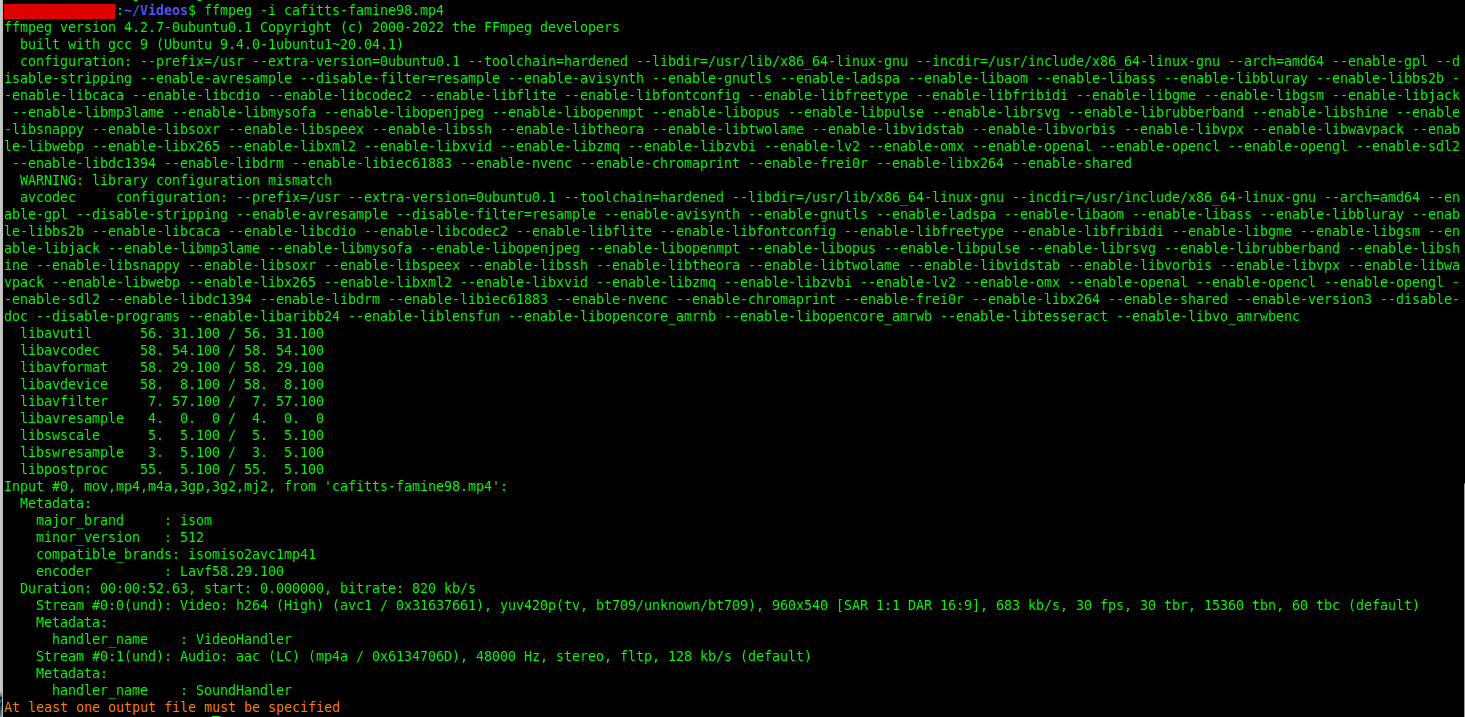
That junk can be cut down to just the specs with ffm -i

What?? It doesn't work for me. I know- this is the trick (newbies: ~ = is a universal shortcut to your home folder)
You can make shortcuts to any command you want, ie frequently used long type can be condensed into 2 letters - but don't pick a currently used combo (use tab to check- ie in the terminal type your command, lets say you pick 'ps' - tab will autocomplete that, so don't use it, but pz- not autocomplete = gtg)
nano ~/.bash_aliases
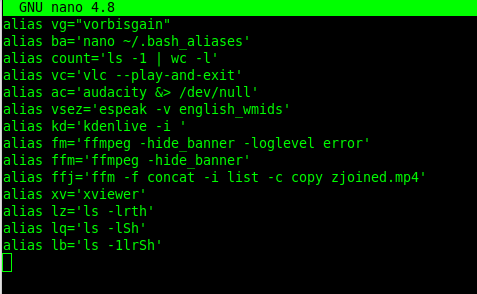
So handy I made a shortcut ba to edit the aliases file- very quick to add new shortcuts- this is just a small portion of my file
if you haven't used nano:
F3, Enter = save
F3 = exit
ctrl-kkkk = remove 4 lines
ctrl-u = add the 4 lines just removed (for rearranging txt)
ctrl=w = find
alt-w = find again
Before using linux the 'terminal' can be intimidating, but it's not required- linux has all the same windows and rt-click options... it's just the terminal is faster once you get used to it- instead of clicking thru multiple folders to get a file, one can just tab auto-complete. The terminal is great for everything except organizing, like sorting pics into categories lol
Comments